Toddler Drawing Games For Kids
Piggy Panda IncEducational
3.561.00 Reviews
- Version
- 4.8
- Installs
- 5.00M
- Age Rating
- Everyone
Screenshots
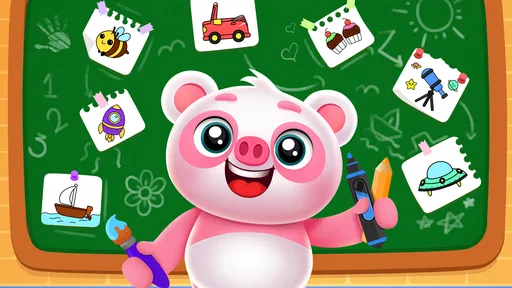
Our Review of Toddler Drawing Games For Kids
 Analysis by Appyee
I’d think of Toddler Drawing Games For Kids as a small creative activity to share with a young child, rather than a replacement for paper, crayons, or hands-on art. Drawing on a screen has its own appeal: a toddler can explore colors and marks without a table full of supplies, and a parent can join in for a few minutes whenever there’s a natural pause in the day. My main test for an app like this is whether a child can get started without constant adult intervention while still having room to make choices.
Where this game fits in a toddler’s day
The game is an educational title from Piggy Panda Inc, aimed at young children who are beginning to enjoy coloring and drawing. It is free to install, rated for Everyone, and has optional in-app purchases priced from $1.99 to $35.99 per item. That makes it easy to try, but I’d still stay nearby and check the purchase prompts before handing a device over. “Free” does not mean every part of the experience is necessarily included at no cost.
A realistic use is a short, supervised stretch while dinner is being prepared or during a quiet moment at home. I’d open it with my child, let them choose an activity, and then give them a simple prompt—such as making a picture with two colors or tracing a shape before decorating it. The adult’s role matters: a toddler may tap around rather than follow an activity from beginning to end, and a little encouragement can turn that wandering into a chance to name colors, compare shapes, or talk about what the child is drawing.
That kind of shared play is also where the app is most useful. A child who is not ready to draw recognizable pictures can still experiment with marks and color choices. I would not treat any completed picture as a measure of ability; the value is in the process of trying, changing direction, and explaining what the marks are meant to be. If your child prefers to move around or use physical materials, though, a screen-based activity may not hold their attention for long.
What the version tells me—and what it doesn’t
The game was released on April 13, 2023, and its current version is 4.7. That gives a reader a useful snapshot of where the product stands, but a version number by itself does not tell me what changed between releases. I wouldn’t assume that a particular activity, safety control, or other feature was recently added unless the game itself makes that clear.
For families already using it, the practical question is whether it still suits the child’s age and habits, not whether a higher version number automatically makes it better. The game has a 4.0 average from around 1.9 thousand ratings, and it has passed 5 million installs. Those figures suggest that many families have tried it, but they cannot predict whether a particular toddler will enjoy its pace or controls. I’d use a short first session to see how your child handles the choices and whether you’re comfortable with the way the app presents paid items.
The minimum operating system is Android 8.0, so compatibility is one concrete thing to check before installing on an older device. If you’re choosing between a phone and a tablet, I’d lean toward whichever screen is easier for the child to tap accurately while you can still supervise. A larger display can make drawing feel less cramped, but it does not replace an adult’s help with navigating or keeping the session purposeful.
Making the most of the drawing activities
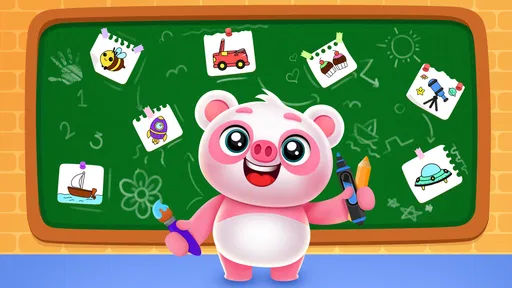
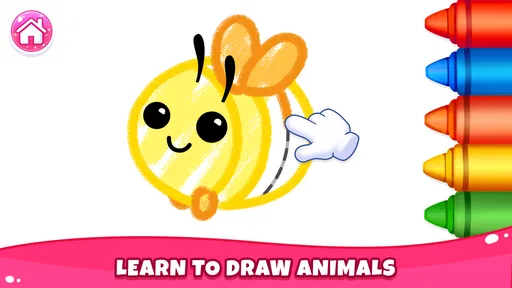
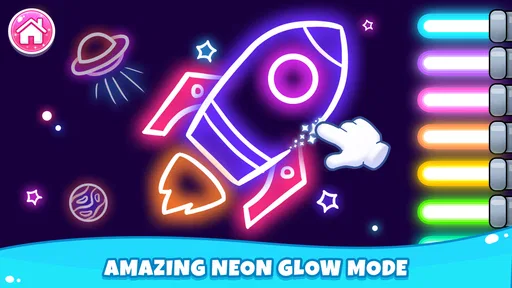
From the moment I downloaded Toddler Drawing Games For Kids, I could see it was designed with young children in mind. The interface is colorful and inviting, perfect for capturing the attention of curious toddlers. As soon as we opened the app, my child was greeted with an array of drawing tools and vibrant colors, all just a tap away.
What I loved most was the ease with which my toddler could navigate the app. There’s no complicated menu or settings to fiddle with. Just a straightforward selection of brushes, colors, and fun stamps that allow their imagination to run wild. The simplicity is key here, making it accessible even for the youngest users.
A World of Features
One of the standout features of this app is the variety of drawing activities available. It’s not just about freehand drawing. There are guided drawing exercises that help kids learn basic shapes and lines by tracing. This is perfect for developing fine motor skills and coordination.
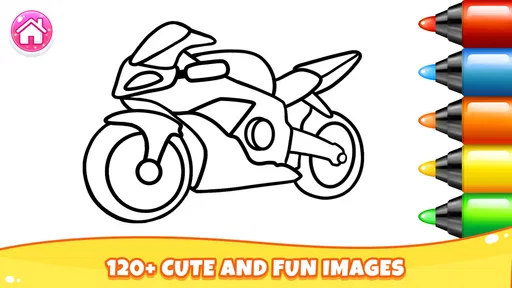
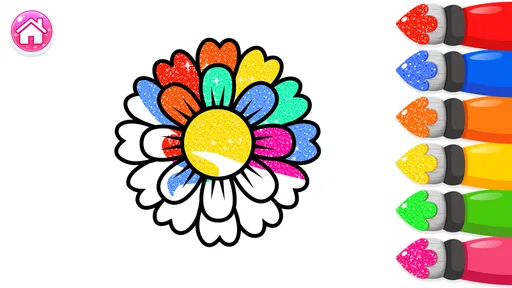
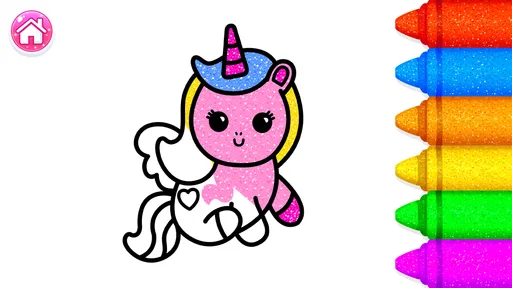
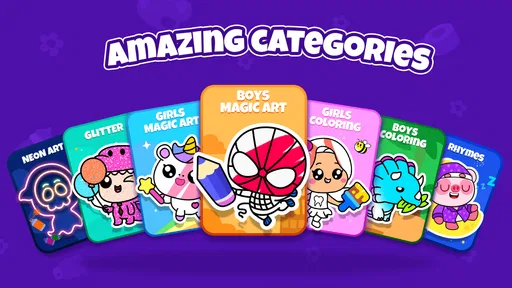
Moreover, the app includes a delightful selection of templates that kids can color in. From animals to vehicles, each template offers a fun way for kids to explore different themes and scenes. It’s like a digital coloring book that never runs out of pages!
Interactive and Educational
While the app is undoubtedly fun, it also packs an educational punch. Through the interactive drawing activities, kids can learn about colors, shapes, and even numbers. There’s a subtle educational element woven into each game, which is a big win in my book.
The app also features a "create your own story" mode where kids can use their drawings to craft simple stories. This encourages narrative skills and creativity, making it more than just a drawing app.
Safety, supervision, and sensible limits
For a child who likes clear starting points, I’d begin with a template or a tracing activity instead of asking them to make a picture from a blank screen. A template gives them something to respond to, while free drawing is better when they want to invent their own subject. Switching between those approaches can keep a short session from feeling like the same task repeated, without turning the app into a lesson that the child has to complete correctly.
There is also a useful trade-off between screen drawing and paper. Digital coloring can be tidier and easier to restart, which is convenient when time is short or the child is still exploring how to hold a crayon. Paper, on the other hand, offers a physical surface and materials to handle. I’d use the game as one option in a mix of activities, not as a substitute for drawing away from the device.
The store has 53 written reviews, but I would not treat a review count or an average score as a guarantee that the app will suit every family. The most important thing to check personally is how your child responds: can they choose an activity without frustration, do they enjoy making marks, and can you keep the session within limits that work for your household? If the answer to those questions is no, a simple paper coloring book or an adult-led drawing game may be a better fit.
Safe and Kid-Friendly
As a parent, safety is always a priority when it comes to apps. I was relieved to find that Toddler Drawing Games For Kids is a safe environment for children. There are no ads or in-app purchases that could disrupt the experience or lead to unwanted spending.
The app also has a child lock feature to prevent accidental exits or settings changes, which is a thoughtful touch that gives parents peace of mind.
What I’d watch for as a parent
Because the game is listed with in-app purchases, I’d review the purchase flow myself before letting a toddler use the device alone. The listed price range runs from $1.99 to $35.99 per item, so I would not assume every tool or activity is included in the free experience. A practical routine is to open the app together, make any choices that require an adult, and then hand over the device for the drawing portion. That helps avoid an accidental tap becoming an unexpected purchase.
I’d also keep expectations modest about what “educational” means here. Drawing, tracing, and coloring can give a child a playful way to encounter shapes, colors, and numbers, but they work best when an adult talks with the child rather than relying on the screen to teach by itself. Asking “Which color did you pick?” or inviting the child to describe a picture adds interaction without turning the activity into a quiz.
For families wondering whether it works without a parent nearby, I’d recommend supervision for toddlers regardless. A young child may need help choosing an activity, may wander away from the intended task, or may encounter a purchase prompt. The child lock mentioned above can help with accidental exits or settings changes, but it doesn’t remove the need for an adult to guide device use and manage spending.
How it compares with familiar alternatives
Compared with a basic digital coloring book, this game’s appeal is the mix of open drawing and guided activities described in its experience, rather than coloring outlines alone. That variety is helpful if a child quickly loses interest in filling one picture. Compared with an open-ended drawing app, templates and tracing can offer a gentler starting point for a toddler who is unsure what to make. The trade-off is that a child who wants a completely unrestricted canvas may prefer a simpler drawing tool, while a child who loves coloring on paper may get more from a physical book and crayons.
I’d also choose a different kind of activity when the goal is movement, tactile play, or a break from screens. No drawing game can provide the feel of paint, paper, or crayons, and the app is not the right pick for a child who becomes upset when asked to stop using a device. In that case, a short paper activity—or drawing together on a large sheet—may be an easier fit. For a child who enjoys tapping, coloring, and making up little stories, the digital format can be a convenient addition to those offline options.
Final Thoughts
Overall, Toddler Drawing Games For Kids is a fantastic app that combines fun and learning in a way that’s accessible to young children. With its colorful interface, engaging activities, and educational elements, it’s a must-have for any parent looking to nurture their child’s creativity.
If you’re searching for an app that will keep your toddler entertained while also helping them learn, this one is definitely worth a download. It’s a delightful blend of art and education, and in my experience, it’s been a hit with my little artist!
Privacy and Permissions
See what permissions an app requests and how it handles your data.
- Photos/Media/Files
- read the contents of your USB storage, modify or delete the contents of your USB storage
- Storage
- read the contents of your USB storage, modify or delete the contents of your USB storage
- Other
- view network connections, full network access, prevent device from sleeping
Verdict
Strengths of Toddler Drawing Games For Kids
- Engaging and colorful interface.
- Variety of drawing tools available.
- Encourages creativity and learning.
- Easy to navigate for young users.
- No intrusive ads during play.
Limitations of Toddler Drawing Games For Kids
- Limited free content available.
- Requires internet for full features.
- Occasional app crashes reported.
- Some tools need improvement.
- In-app purchases can add up.
Other Releases by Piggy Panda Inc
View All
Car Makeover: ASMR Games
Role Playing4.3

Cake Maker: Kids Cooking Games
Role Playing4.3

Kids Coloring Pages For Boys
Educational4.6

Pizza Maker Kids Cooking Games
Role Playing4.6
Similar Picks in This Category
View All
Little Panda Policeman
BabyBus4.0

Monster Trucks Game for Kids 2
Raz Games4.1

Little Panda's Chinese Recipes
BabyBus4.4

Little Panda's Restaurant
BabyBus4.4

Little Panda's Ice Cream Games
BabyBus4.3

Baby Panda Care
BabyBus3.8
Frequently Asked Questions
What age group is Toddler Drawing Games For Kids suitable for?
Toddler Drawing Games For Kids is designed specifically for children aged 2 to 5 years old. The app uses simple, engaging activities that are easy for young children to understand and enjoy, helping them develop basic motor skills and creativity in a fun and interactive way.
Does the app include educational content?
Yes, the app offers educational content aimed at improving cognitive and fine motor skills. Through drawing and coloring activities, kids learn about colors, shapes, and patterns, enhancing their creativity and problem-solving abilities while having fun.
Is there a cost to download or use Toddler Drawing Games For Kids?
The app is free to download and offers a variety of free activities. However, there may be in-app purchases available, providing additional content and features for a more enriched experience. Parents can choose to purchase these extras as needed.
Is Toddler Drawing Games For Kids safe for my child to use?
The app is designed with child safety in mind, featuring no third-party ads and secure content. It includes parental controls that allow adults to manage in-app purchases and settings, ensuring a safe and controlled environment for children.
Can Toddler Drawing Games For Kids be used offline?
Yes, once the app is downloaded, many of its features can be accessed offline. This makes it convenient for use in places without internet connectivity, such as during car rides or in areas with limited Wi-Fi access.
Play our best games!


